KDETools


Client Review
OST to Zimbra Converter - List of Key Features

Multiple Migration of OST to Zimbra
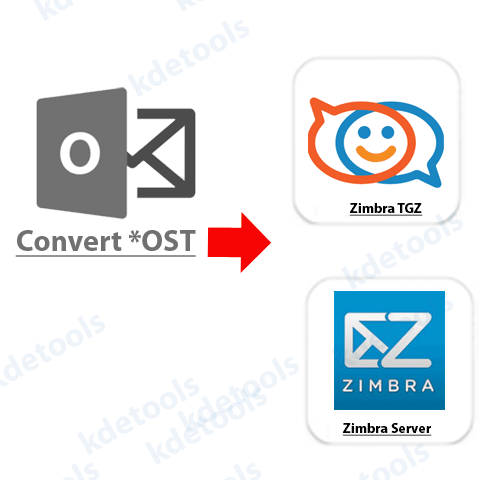
The OST to Zimbra Converter has an advanced feature, that is, the 'Batch OST to PST Conversion' option. This feature saves the time of the user as the tool permits the user to select multiple OST files in one go and convert it to Zimbra. This feature allows the users to upload multiple OST files at once and convert it to Zimbra.
Migrate OST Files to 30+ Formats
The OST to Zimbra Converter tool allows its users to migrate OST to more than 15 plus file types. The user has to click on the desired file format and the software will convert the data safely in no time. The user can migrate OST files to Zimbra, NSF, PST, EML, MSG, PDF, MBOX, HTML, Office 365, Exchange Server, and etc.
Export Selective of OST to Zimbra
The OST to Zimbra tool includes the 'Selective Item' feature that enables the users to export the selective OST folders directly to Zimbra.
This feature will save an incredible amount of time as the user will export only the desired OST items and not waste time on exporting the entire OST mailbox elements including the Sent box, Notes, Folders, Inbox, Subfolders, Tasks, Draft, Outbox, and etc. to Zimbra..
Message Filtering to Convert OST to Zimbra
The OST to Zimbra Converter consists of the 'Message Filtering' option that enables the users to transfer OST files between two particular dates to Zimbra file format.
The user has to fill the dates 'To' and 'From' option and start the conversion from OST to Zimbra.
The 'Message Filtering' option helps the users to transfer OST items between particular dates and directly transfer to Zimbra file format.
Keeps the Original Folder of OST to Zimbra TGZ
The OST to Zimbra preserves the email Meta-Data while converting items from OST to Zimbra file format. The software maintains the email Meta-Data including From, Cc, Date, To, Bcc, Subject etc.
The OST to Zimbra converter keeps the original folder structure and hierarchy intact. After the conversion process is over, the software will not modify the original folder structure and hierarchy and email Meta-Data while converting items from OST to Zimbra.
Convert OST to Office 365 account
The OST to Zimbra Converter has a powerful algorithm that permits its users to convert OST items to O 365 directly by executing a few simple steps. The software enables its users to convert OST folders directly to Office 365..
Run the software and click on the 'Office 365' option and submit the correct details including username and password of their account and start the conversion process from OST to Office 365 without any issue.
Import OST to Exchange Server
The OST to Zimbra tool permits the users to import OST directly to Exchange Server. The user can import their entire OST mailbox elements including the Sent box, Notes, Folders, Inbox, Subfolders, Tasks, Draft, Outbox, and etc. to Exchange Server directly.
The user has to submit the correct credentials of your Exchange Server account like Exchange Version, password, IP or Domain Name, and User Name or Email ID.
Software Specifications
| System Requirement |
Processor Minimum Pentium Class |
Operating System Windows 10, 8.1, 8, 7, Vista, XP |
Memory 512 MB Minimum |
Hard Disk 50 MB of free space |
| Software Delivery |
Electronic Yes |
|||
| License & Version |
Single User License Can use only on a single system |
Technician License Can be used on '3' systems simultaneously |
Version 5.5 |
|
| Interface Available |
Language Supported English, German, French, Italian, Spanish |
|||
| Download Guides |
Installation Guide User Manual Purchase Related FAQs | |||
![]()
D - 478, Sector - 7,
Dwarka, New Delhi - 75,
India
Call Us:
91-9555-514-144
Useful Links
About Us
Legal Policy
Privacy Policy
Refund Policy
Quality Policy
Sitemap
Find Us
![]()
![]()
KDETools Software® is the Registered Trademark of KTools Software Pvt. Ltd.
© Copyright 2026 www.kdetools.com. All Trademark Acknowledged.