 USA/Canada: +1 (888) 844-4213
  Rest World: +91-955-5514-144
  Whatsapp: +91-955-5514-144 | PARTNERS SERVICES CONTACT US ABOUT US
USA/Canada: +1 (888) 844-4213 Rest World: +91-955-5514-144 Whatsapp: +91-955-5514-144 | PARTNERS SERVICES CONTACT US ABOUT US
Whatsapp: +91-955-5514-144 | PARTNERS SERVICES CONTACT US ABOUT US
USA/Canada: +1 (888) 844-4213 Rest World: +91-955-5514-144 Whatsapp: +91-955-5514-144 | PARTNERS SERVICES CONTACT US ABOUT US
The Server Cannot Service This Request Right Now
KDETOOLS solutions access Office 365 or Exchange Server accounts using Exchange Web Services (EWS).
If you are using one of the solutions to migrate or backup messages from an Office 365 or Exchange Server mailbox, please read the following guidance.
However, you may sometimes see the following error while use these tools:
"The server cannot service this request right now. Try again later"
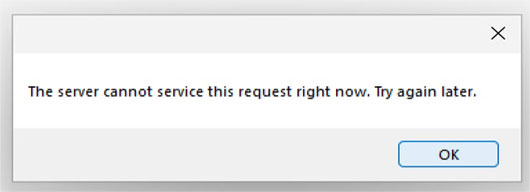
This is because EWS throttling has been activated in Office 365.
This problem may be resolved by disabling EWS throttling in Office 365 / Microsoft Exchange.
How can I disable throttling for EWS in Office 365?
Disabling EWS throttling allows for faster data flow across Office 365 applications.
As a consequence, if you are having problems with migration speed, you may choose to disable it.
1. Log in to Office 365 using the Administrator credentials.
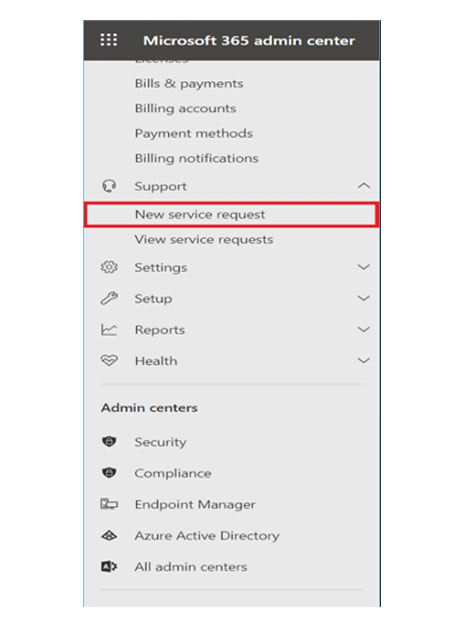
2. Go to Support and click New Service Request.
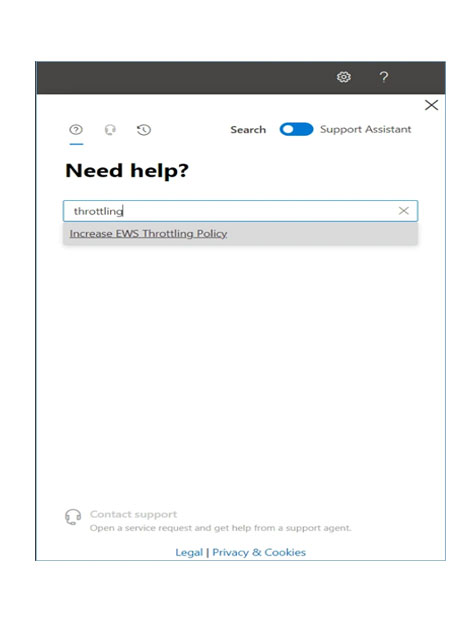
3. In the text box, type throttling, and it will show Increase EWS throttling Policy.
Then click on same option.
4. Click Run Tests.
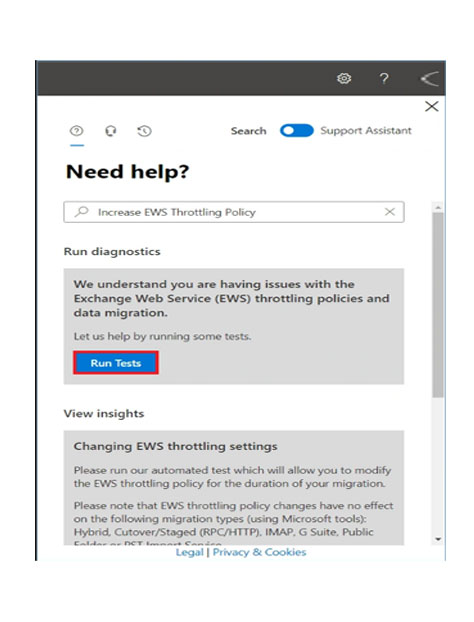
5. A diagnosis will start for the throttling. Let it complete.
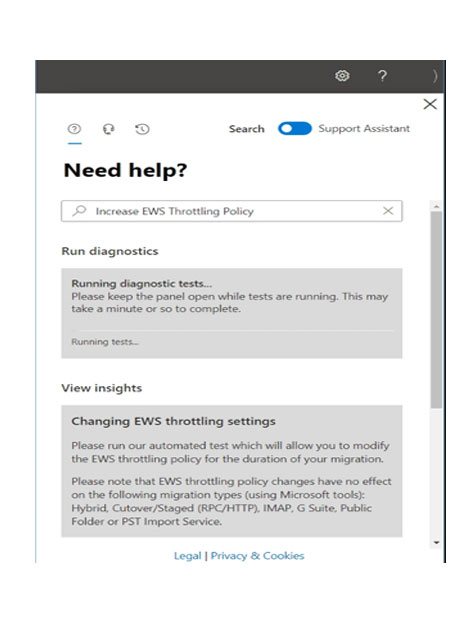
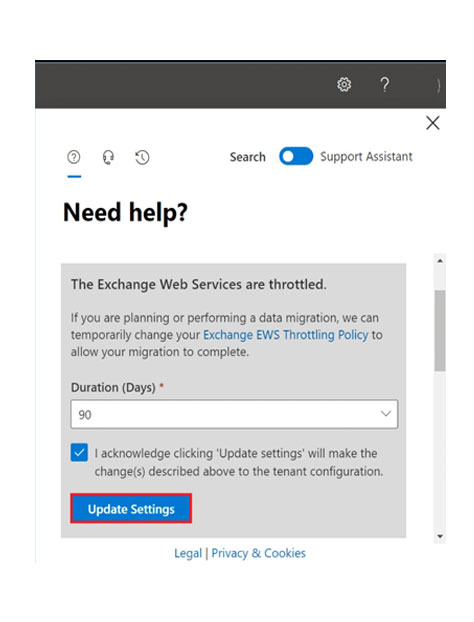
6. A message will appear, “If you are planning or performing a data migration, you can temporarily change the Exchange EWS Throttling Policy to allow the migration to complete“.Input the number of days for the Duration and click Update Settings. The available options are 30, 60, and 90 days.
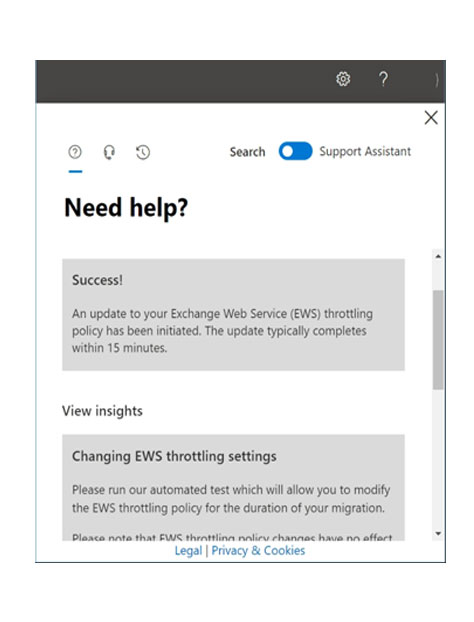
7. A Success message appears that a change in throttling policy is initiated. It will take 15 minutes to update the changes.
8. Now when you search for throttling in the new request, a different message appears. It shows that the EWS throttling is disabled for now..



D - 478, Sector - 7,
Dwarka, New Delhi - 75
India
Call Us
91-9555514144
You can also find us:



KDETools Software® is the Registered Trademark of KTools Software Pvt Ltd
© Copyright 2019 www.kdetools.com. All Trademarks Acknowledged.
