KDETools MBOX converter tool comes with important features including preview of MBOX emails before changing into PST format, batch MBOX conversion and email filtering. MBOX Converter Wizard comes with many advanced algorithms and features. Yes, This MBOX mailbox converter is able to export mbox, change mbox or convert MBOX file backup taken from Gmail, Thunderbird, Apple Mail, Opera mail and so on.
Batch Conversion of MBOX File
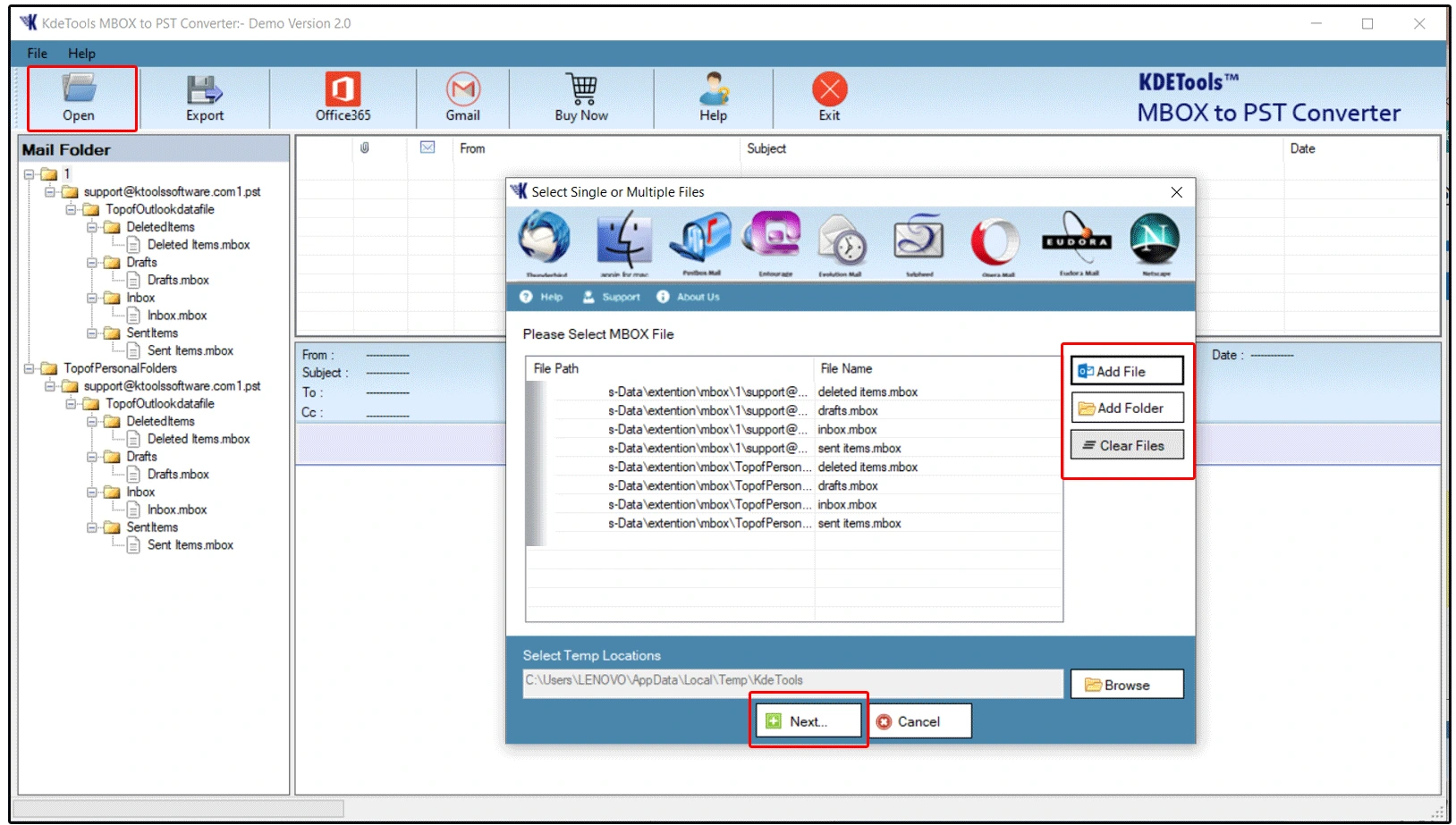
Through this highly efficient MBOX email converter utility, the user can conveniently convert several MBOX files into PST files. The converted PST files are compatible with all Microsoft Outlook clients and even works efficiently with the Microsoft 365 cloud account. Individual MBOX file conversion facility is also provided by this tool. When several MBOX files have to be converted into PST file, then bulk conversion of MBOX file to PST proves to be useful. Multilple or Bulk MBOX email conversion into PST file format makes it convenient for managing emails in an organized manner.
- Add File - It is for single MBOX mail conversion.
- Add Folder - This option is for batch MBOX email conversion.
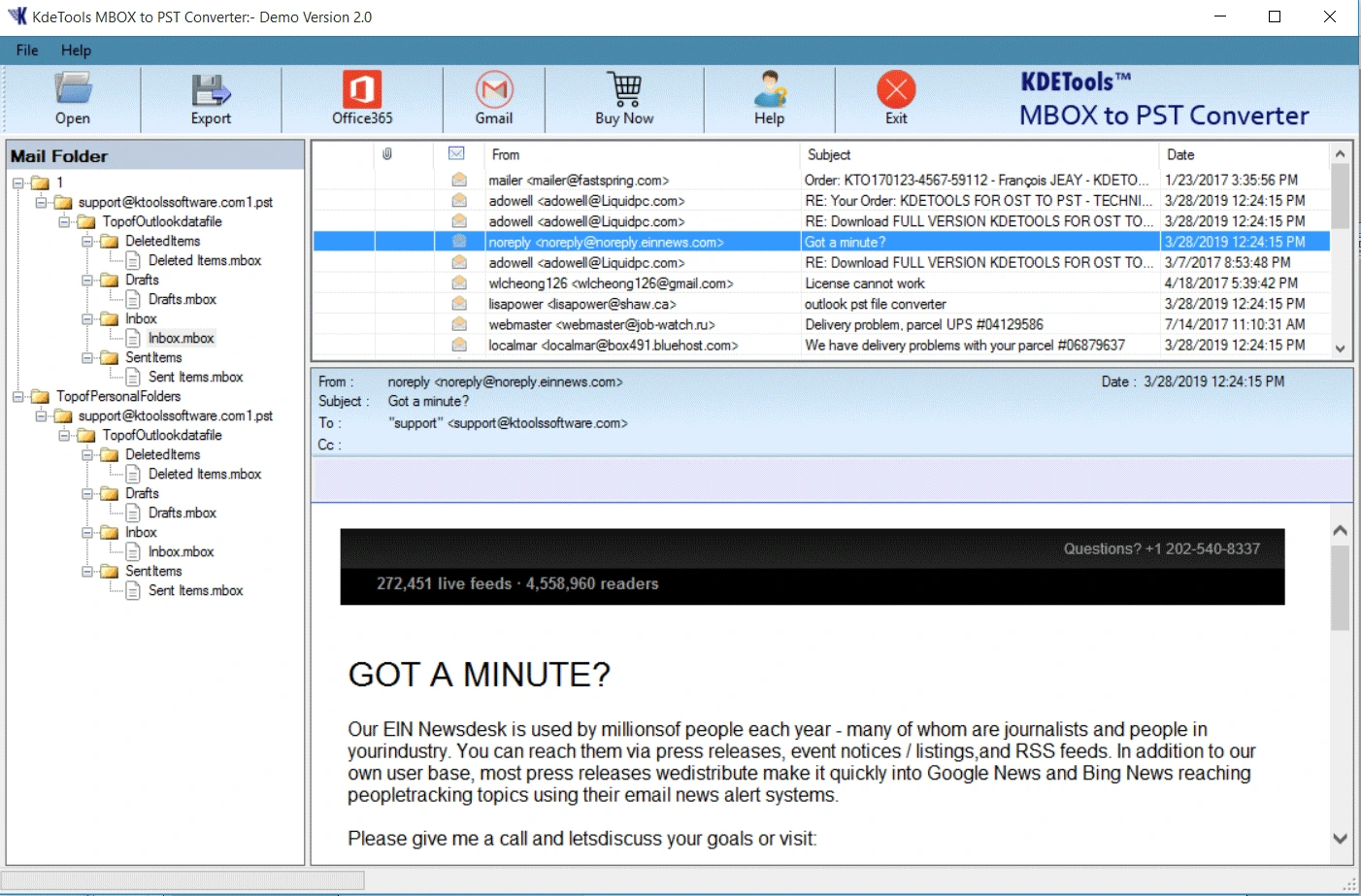
Preview and Sort Emails in Software' Interface
User can easily categorize the MBOX emails through this MBOX exporter tool utility with the help of several sorting methods. Some of the sorting methods that can be found in the tool include:
- Filter Option - From, Subject, To, Date & Time
- Filter Option - Email Size and Naming Convention
Simply choose these options as per your requirements and entire MBOX files will be sorted accordingly the option you selected.
Convert MBOX Emails with Attachments
If you are looking for exporting the emails with attachments, then there is no other better option than this MBOX converter utility. All you need to do is click on the attachment option present in the preview pane and your task of sorting out all the emails that are having attachments will get completed. KDETools MBOX Exporter Utility is also known as MBOX converter, MBOX file converter and MBOX importer. The above mentioned names are nothing but the software/program that are capable of converting, changing the format of MBOX email files or exporting MBOX files via a software/program designed for Windows OS.
Erase Encryption - S/MIME & OpenPGP
The option of Decrypt Emails available in the console of MBOX email exporter utility facilitates the user to decrypt and decrypt S/MIME and OpenPGP encryption of MBOX File emails. Assume, after
MBOX to PST conversion is completed by the user, then he will get the output PST file which will not have any encryption and hence the user will be able to open it without the help of certificates & private keys passwords. So, get the licensed version of MBOX file converter and easily manage encrypted MBOX email files. This is one of the in-built strong feature comes with MBOX converter tool and it provides the best result as converted email format. Try the free version!
Keep Intact Metadata
Post-Conversion
Using this converter for MBOX, you will be able to convert all the emails with attachments existing in the backup MBOX data files to PST format. It will preserve all the metadata of all items in the same way as it was in the original one such as To, Cc, Subject, Size, and others. All the properties of emails will be resulting in the same PST format and you will have an authentic result. Preserve your email data with the “Use Client Submit Time” option. It guarantees that each converted email retains its original sent and received timestamps.
Filter Option Based Mail Conversion
Using Thunderbird MBOX converter, some of the most effective filters are used to make the conversion process of MBOX files to PST very easy. Some of the filters include the “Split PST file into smaller parts”. Furthermore, there is another filter known as “Date Filter” using which you can easily convert only those MBOX email data which you require using the dates given. With the help of the “Naming Convention” feature, you will be able to convert MBOX files to PST format with date+year+subject+name+email as per your requirements.
No Recurring - One-Time License
Converter for MBOX software is available in one-time purchase and can be used until it gets licensed to use or till its validity. There are no extra charges for annual subscription or renewal in KDETools MBOX Converter tool. Furthermore, it can be used unlimited number of times to convert MBOX files and convert them into PST email file format. The exported PST file can be imported in MS-Outlook client and access emails and their properties.
Advance Features for Real-Time MBOX Conversion
Various filters and advanced methods for converting MBOX file to PST file, some additional features are also used like: “Keep Original Structure”, in which the original structure of the generated PST file remains same as its source file. “Do Not Export Empty Folder”, as a result, no empty folders will be converted or exported while using this converter. “Ignore System Folders”, as a result the system folders will be ignored by MBOX exporter tool.
Supports All Microsoft Outlook
2024 & Below
MBOX email file converter software supports the Latest Microsoft Outlook Versions. After loading of .mbox file in MBOX email converter, the users can convert MBOX to PST for Microsoft Classic Outlook 2024, 2021, 2019, 2016, 2013, 2010, 2007, 2003. So take the latest version free license and MBOX email converter wizard.
Export MBOX Calendars to vCal Individually
MBOX email mailbox converter software enables the users to convert MBOX calendar items to vCal format [Only Calendar]. Using the MBOX email converter, the user can also export the calendar in vCal file format. When the user needs to export only the MBOX email calendars in vCal format and no emails and any other email items are needed to convert, then this software is helpful.
Export All Sorts of .MBOX, MBS and .MBX Files
Universal MBOX converter for Mac is suitable for converting any MBOX and MBX files. With the help of this converter tool, you can analyze all the MBOX files exported and change them into another file format easily. It is equipped with an easy to use user interface. There are various email clients which have the MBOX file extension to store their data, and all such MBOX files are supported by the MBOX converter tool for Mac irrespective of which email client has stored it.
Optins to Export - Email & Document Format and Email Clients
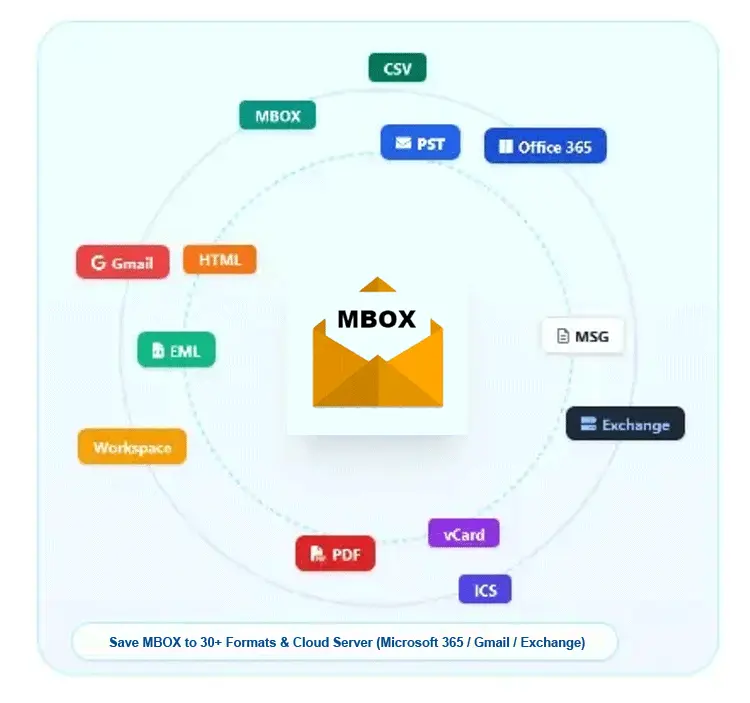
KDETools MBOX Converter for Windows & Mac OS is developed with numbers of advanced conversion features, and the MBOX email files can be is export and simultaneously saved in more than 35 formats such as document and email file formats are (MBOX to PST,
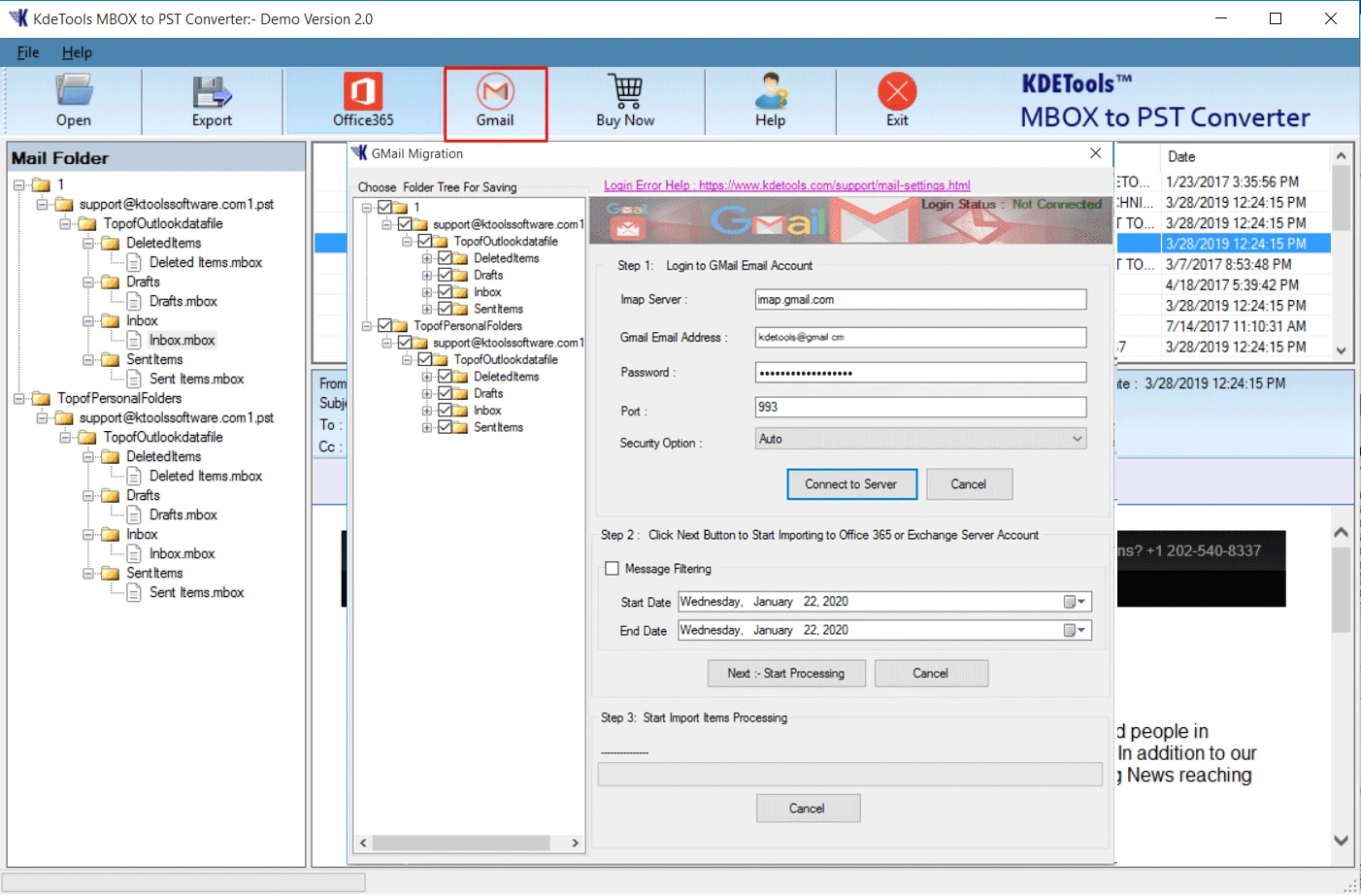
MBOX to PDF, EMLx, Txt, MBOX, MSG, EML, DOC, HTML, MHT, OLM, etc.), Email Client (Gmail, Google Workspace, Godaddy Mail, Proton Mail, Office 365, Zimbra, Exchange Server, MBOX to Thunderbird, Outlook.com, MBOX to QQMail, Zoho Mail, AOL Mail, Yahoo Mail, IMAP Server) etc.
Manage and Keep Intact Attachments
KDETools MBOX Email converter tool enables the user to separate and store the attachments in a file separately, or attach these attachments in the output format such as PST, EML, or any other. This will facilitate the proper storage and access of the important files, and thus nothing gets lost and the attachments are retained in their original form. The output file created after the migration process can be saved by the user in any desired location.
All Windows and Mac OS Supported
This particular tool has been designed to be used by Windows and Mac OS users. This particular tool helps in meeting the needs of the users in an efficient way. It has the capability of converting MBOX mailboxes into other formats in Windows 11, 10, 8.1, 8, 7, etc. It is possible to convert the MBOX file on Mac OS like Sonoma, Ventura, Monterey, Big Sur, Catalina, Mojave, High Sierra, Sierra, El Capitan, Yosemite, Mavericks, Mountain Lion, Lion, Snow Leopard, Leopard, Tiger, etc. This MBOX file converter has been very well designed to operate on all kinds of computer devices that use any version of Windows and Mac OS.