Features Screenshorts Reviews FAQs Order Now
FREE DOWNLOAD PURCHASE NOW

Outlook PST Splitter to Split Large PST File by Range, Size, Date & Year


Outlook PST Splitter is a utility designed to divide a large or oversized Outlook PST file into smaller, more manageable PST files without losing data or structure. Best PST splitter tools provide the following:

Download PST Splitter Tool is an efficient solution to split Oversized Microsoft Outlook PST file into multiple Smaller parts without any data loss. Free Outlook PST Splitter tool to Split large PST files by Size [MB/GB/TB], Date, Folders, Emails etc.

  • Split PST files at Efficient and fast processing even with very large PST files..
  • Split PST by Size – break a large PST into smaller ones based on specified MB/GB.
  • Splitting PST files by folder – separate PSTs by selected folders (Inbox, Contacts, Calendar, etc.)
  • Splitting PST files by Year – organize data into PST files per year.
  • Compatible with ANSI and Unicode PST formats
  • Preservation of data integrity (emails, contacts, calendar, attachments)
  • Supports PST files from Outlook 97 up to Outlook 365 and Outlook 2024.
  • The software works even without an installed Outlook version
  • Software Recently Splitting PST files by Size a 1.1 TB file of [50 users] into Small parts

(Average Rating 4.9 Based on 9397 Reviews)

Download Now    Order Now    

Money Back Guarantee
30 Days
Money Back Guarantee
Satisfied Users
2 Million +
Satisfied Customers
Secured SSL Connection
100%
Safe & Secured
Free Lifetime Upgrades
Verified
by Microsoft MVPs

Key Features of Outlook PST Splitter tool - Download


Divide & Splits Oversized PST files to smaller & manageable PST files to avoid corruption in MS Outlook 2019, 2016, 2013, 2010, 2007, 2003.

  • Combine/Split PST: → Split large PST files by size, date, year, and folder.
  • Data Splitting: → Maintain the original folder structure and email meta-properties.
  • Split Archive PST: → PST Split works with archived Outlook PST files.
  • Split Contacts & Calendar: → Option to split contacts and calendar separately.
  • Deep Scan: → Deeply scans PST files, including metadata.
  • Create a New PST File: → Splits PST files and generates a new PST file.
  • Split by Message Filtering: → Split PST files based on two dates/month/year.
  • Split by Selected Folders: → Split selected PST items/folders.
  • Save Location: → Saves the PST file to the desired location on the system.
  • Split ANSI and Unicode: → Splits both ANSI and Unicode PST files.
  • Outlook Compatibility: → Supports Outlook 2024/2021/2019/2016/2013/2010/2007/2003

line

PST Splitter

Software Box

Split Outlook PST by Size | Date | Folders | Year

Split PST by Size | Date | Folders | Year

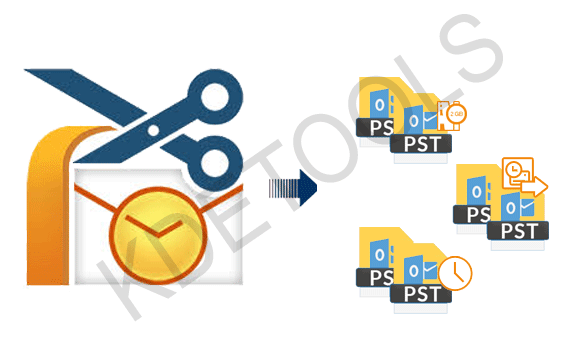
The PST Splitter Tool allow to combine/split with very large PST files based on the sender's email address, converts a particular folder within the single PST. The PST splitter to splits PST file into Smaller Parts [PST's]. It also makes a separate PST for each folder. by follow splitting Options.


  • Split Outlook PST by Size 1MB to 1TB
  • Divide PST by Date | Year | Month
  • Cut PST by Folders | Sub-Folders
  • Split Large PST by Messages
  • Truncate PST by To, Bcc, Cc, Subject
  • Break Microsoft Outlook PST by Email ID

Split multiple large PST without Outlook installed

Split multiple large PST without Outlook installed

The Split PST tool is a robust tool and the users can split PST files without Outlook. They do not have to split PST files without installing Outlook on their system. The users can split their PST files by date, size, folder, email address, year, and email messages without installing Outlook on the operating system.

Split PST Tool to Break Large PST files in Outlook 2024, 2021, 2019, 2016, 2013, 2010, 2007, 2003 etc


  • Splitting a large PST file in Outlook by Size - [MB/GB/TB] |
  • Split PST file by Date [Year | Month | Date]
  • Split PST file by Messages & Sender [To, Cc, Bcc]

Outstanding features of the KDETools PST Splitter:

Software Box

Split PST into similar PSTs according to Size - MB/GB/TB.

Split PST into similar PSTs according to Size - MB/GB/TB

The Split PST tool is a complete solution for splitting oversized and large PST files into similar parts in [KB/MB/GB]. With the Split PST tool, users can break up any large PST file, as there are no limitations..

Split the PST file by date/month [MM-DD-YYYY]

Split the PST file by date/month [MM-DD-YYYY]

This robust tool is an effective way to segment PST files by date, as it provides options for selecting PST files between two dates, i.e., "From" and "To" options.


Split PST file by Year - [To 2018- End 2020]

Split PST file by Year - [2018-2020]

Download PST Split tool to split and divide PST files by a specific year and complete the splitting process in no time. This option allows users to select PST items based on a particular year..

Cut PST file By Folder | Mailbox Items

Cut PST file By Folder | Mailbox Items

Split PST files: Easily split any PST file by folder or subfolder. Users can select the desired folder and start the splitting process. Choose the desired PST folder and split it, no matter how damaged or corrupted it is.

Split large PST by Contacts Folders separately

Split large PST by Contact Folders separately

Use the PST Contacts Splitter tool to split only the contact folder, as the software splits it seamlessly without any intermediate steps. The tool splits the entire contact folder, including name, spouse's name, work, primary, date of birth, nickname, home number, etc. The software also splits the calendar folder, including meeting requests, recurring appointments, signatures, files, business cards, calendar events, and more.

Split large PST by Calendar separately

Split large PST by Calendar separately

The PST calendar splitting tool allows you to divide a large PST calendar into separate, similar PST calendars. The PST calendar splitter tool splits the entire calendar folder list, including names, dates, years, months, birthdates, etc..

Truncate PST by Email ID

Combine PST file by official ID [To, Cc, Bcc]

Divide PST file by 'Message' option as the users can just select the PST file and divide by email messages. The users can divide by 'From', 'To', 'Cc', and 'Bcc' options.

Retains metadata and folder hierarchy

Retains metadata and folder hierarchy

The PST splitter software keeps email metadata and folder hierarchy intact in their original form. The software does not alter the hierarchy and structure after the splitting process is complete, ensuring user peace of mind. The tool retains email metadata, including date, subject, from, to, cc, etc., after the splitting process is finished.

Split PST file by email ID address

Split PST file by email ID address

Split PST files by email address to make the splitting process more convenient and faster. Users can now easily split PST files by sender's email address, significantly speeding up the process since they don't have to split their entire data. Users can also split PST files by email message, as they have the option to split by "From," "To," "Cc," and "Bcc."

Available Free Viewing of PST Files

Available Free Viewing of PST Files

Get a free preview of the selected PST files before you begin splitting them. Users can view the selected PST files for free before the splitting process is complete. This allows users to double-check the selected data and verify that they have chosen the correct PST files. After reviewing the PST files, the splitting process can begin smoothly.

Split the PST file by date, year, month

Split the PST file by date, year, month

line

Software Specifications

System
Requirement
Processor
Intel® Pentium 1 GHz processor(x86,x64) or equivalent
Operating System
Windows 10, 8.1, 8, 7, Vista, XP
Memory
512 MB Minimum
Hard Disk
50 MB of free space
Electronic
Delivery
License Electronic Delivery
The product will automatically delivered. Once the payment is received, you will get an email with the activation link that will contain the key to upgrade the license.
Interface
Available
Windows OS
Windows 11, 10, 8.1, 8, 7, Vista, XP
Mac OS
Monterey, Big Sur, Catalina, Mojave, High Sierra, Sierra, El Capitan, Yosemite
Download
Guides
eula.pdf    Help Manual    Install/Uninstall

line

Frequently Asked Questions (FAQs)

You need to follow these simple steps to split Outlook PST file into small parts:

  • Install KDETools PST Splitter on a Windows PC.
  • Launch the tool and "ADD" the Large "PST file" you want to split.
  • Choose criteria to split by (Size, Date, Year & Folder).
  • Set any additional options (like size limit or date range).
  • Run the split process, and the tool creates new smaller PST files

Yes, by using the Outlook PST Splitter, you can easily split the large PST files into a small PST without installing the Outlook.

Yes, the Outlook PST Splitter supports all the latest versions of Windows OS including Windows 11, 10, Win 8 and etc.
Yes, the users can easily use the newly generated PST files in the older versions of Outlook after the splitting process is over.
The PST Splitter tool supports all versions of Outlook such as 2019, 2016, 2013, 2010, 2007, 2003, and etc.
Yes, the software preserves the email Meta Properties and folder structure after the splitting process is completed..
No, it is not compulsory to install Outlook on the system to split PST files
Yes, the users can split Contacts and Calendar items by selecting either the ‘Contacts’ or ‘Calendar’ folder.
No, there is no size limit for a PST file by using the PST Splitter Software.
Yes, the software can break the archive Outlook files by date, size and message filter option.

D - 478, Sector - 7,
Dwarka, New Delhi - 75,
India

Call Us:
91-9555514144


KDETools Software® is the Registered Trademark of KTools Software Pvt. Ltd.
© Copyright 2019 www.kdetools.com. All Trademark Acknowledged.