

The verified Gmail Backup tool enables a user to securely set up a backup of Gmail emails into multiple file formats. The user will have to download, run, and install the tool on their system and select the desired file format in which they want to create a backup. The powerful tool allows the user to create a backup of Gmail emails into multiple file formats including PST, EML, EMLX, HTML, MHTML, MSG, etc. Once the emails are downloaded in the desired file type, the users can easily export them to their email clients.
If you facing Gmail Login Issue By Enable IMAP Setting and Generate App Password
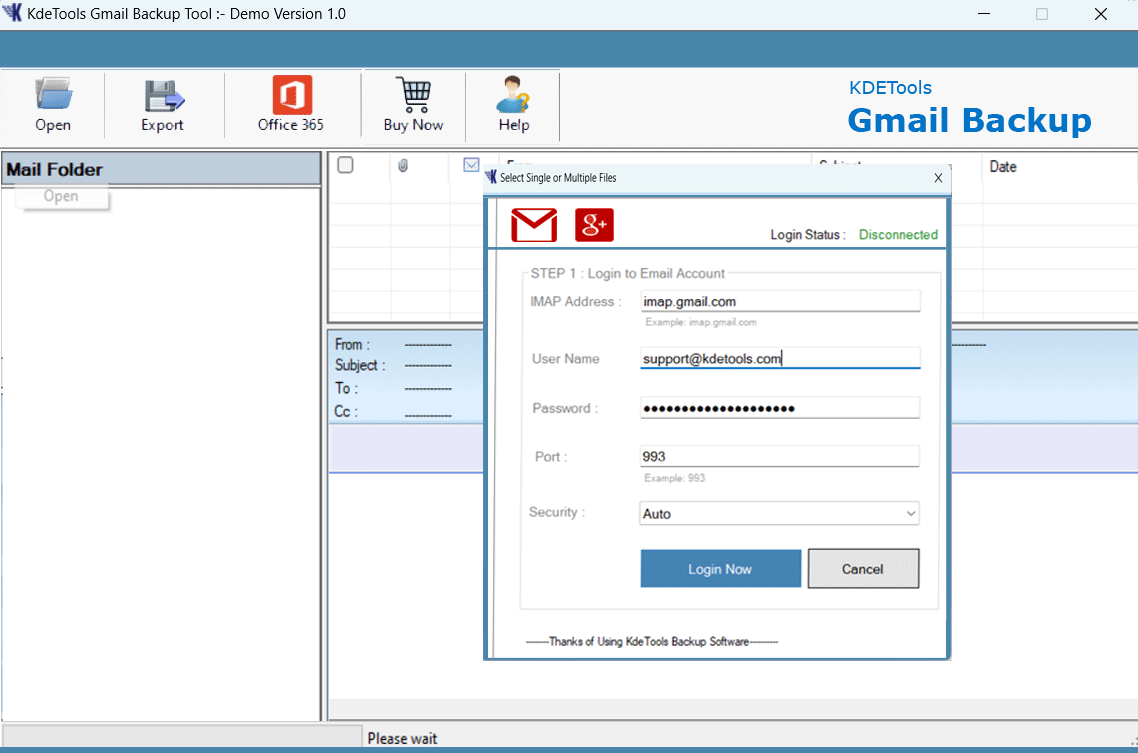

The powerful Gmail Backup tool facilitates the users to directly import Gmail emails into multiple email clients. The tool helps the users to directly import Gmail emails into Exchange Server, Office 365, Thunderbird, IMAP, etc. The users just need to select the desired email client and can initiate the process without facing any hassle. After filling in the correct email credentials, the users can directly import Gmail emails.
The Gmail Backup tool allows users to backup Gmail contacts into vCard format. The users can backup Gmail contacts including home, business number, primary, date of birth, name, etc. into vCard VCF format.
The users after downloading the Gmail Calendar Backup tool on their operating system can directly export Gmail Calendar into ICS format including Meeting Google Workspace Meeting.
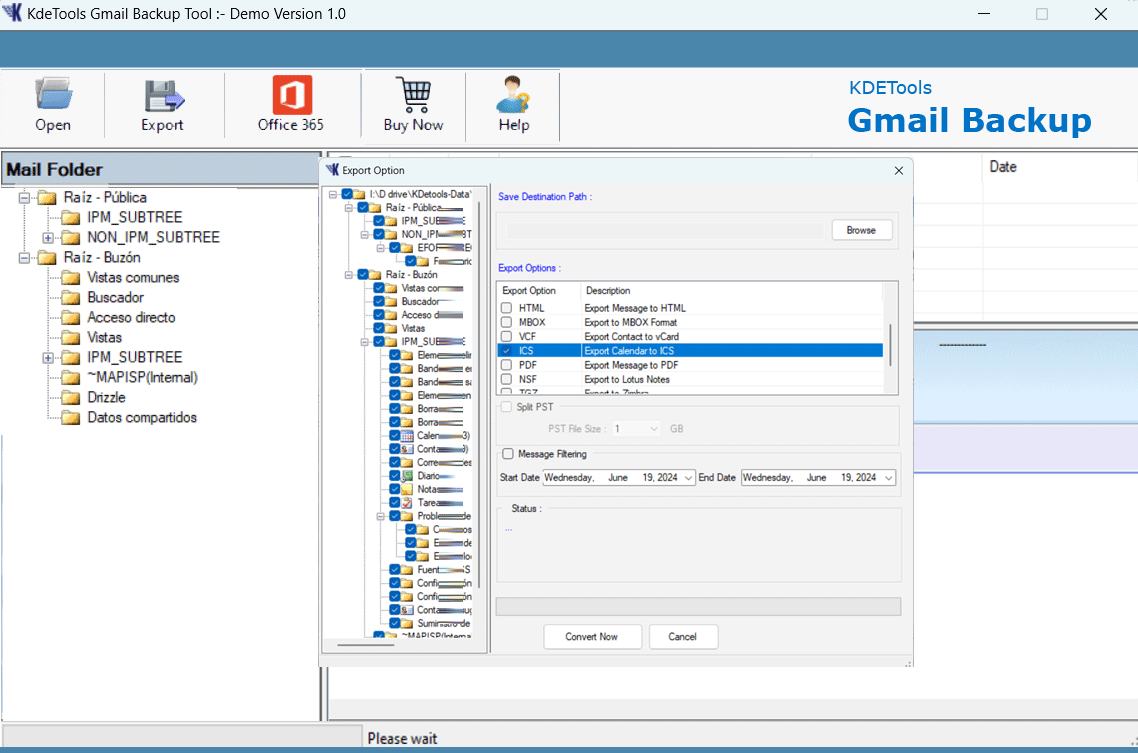
More Key Features – Gmail Backup Tool


Import All Gmail Emails with Attachments
Import All Gmail Emails with Attachments
Another powerful feature of the tool is to download all Gmail emails including all the attachments. The users can use the tool to download Gmail emails and import the data including the attachments to USB Drive, Hard Drive, PC, or any other storage device. The software does not miss or alter any data. Save all Gmail emails including the attachments to any desired location. .
Backup Gmail Emails with Date Range Filter
Backup Gmail Emails with Date Range Filter
The software enables users to backup Gmail emails with the 'Date Range Filter' option. The users do not have to waste their time backup the entire Gmail mailbox as they can use this feature to select the Gmail emails between two dates. The user needs to mention the 'Starting Date' and the 'Ending Date'. The tool will upload all the emails between the two dates and the users can easily and securely backup Gmail mailbox items between two dates.
Migrate Google Workspace to Office 365
Migrate Google Workspace to Office 365
Zimbra Converter is integrated with the latest features that allow its users to directly migrate Zimbra emails to Gmail G-Suite account. The users can safely migrate Zimbra mailbox items such as Contacts, Calendars, Subfolders, Folders, Tasks, and etc. into Gmail, G-Suite account.
Restore Gmail Mailbox to PST for Free 30 Items
Restore Gmail Mailbox with Free 30 Items
The users can download, run, and install the demo version of the Gmail backup tool on their system. The software will backup 30 Gmail emails for free so that the users can examine the tool and its advanced features before buying the full version of the Gmail Backup tool. The users can run the tool on their system to backup 30 Gmail emails.
Compatible with all the versions of Windows
Compatible with all the versions of Windows
The Gmail Backup tool is compatible with all the versions of Windows. The users can easily download and run the tool on their system having any version of Windows. Use the software on a window-based system to backup Gmail emails..
Software Specifications
| System Requirement |
Processor Minimum Pentium Class |
Operating System Windows 10, 8.1, 8, 7, Vista, XP |
Memory 512 MB Minimum |
Hard Disk 50 MB of free space |
| Software Delivery |
Electronic Yes |
|||
| License & Version |
Single User License Can use only on a single system |
Technician License Can be used on '3' systems simultaneously |
Version 5.5 |
|
| Interface Available |
Language Supported English, German, French, Italian, Spanish |
|||
| Download Guides |
Installation Guide User Manual Purchase Related FAQs | |||
Frequently Asked Questions (FAQs)
Below are the steps:
Note:
The converted PST files can be easily imported in any version of the Microsoft Outlook 2019, 2016, 2013, 2010, 2007.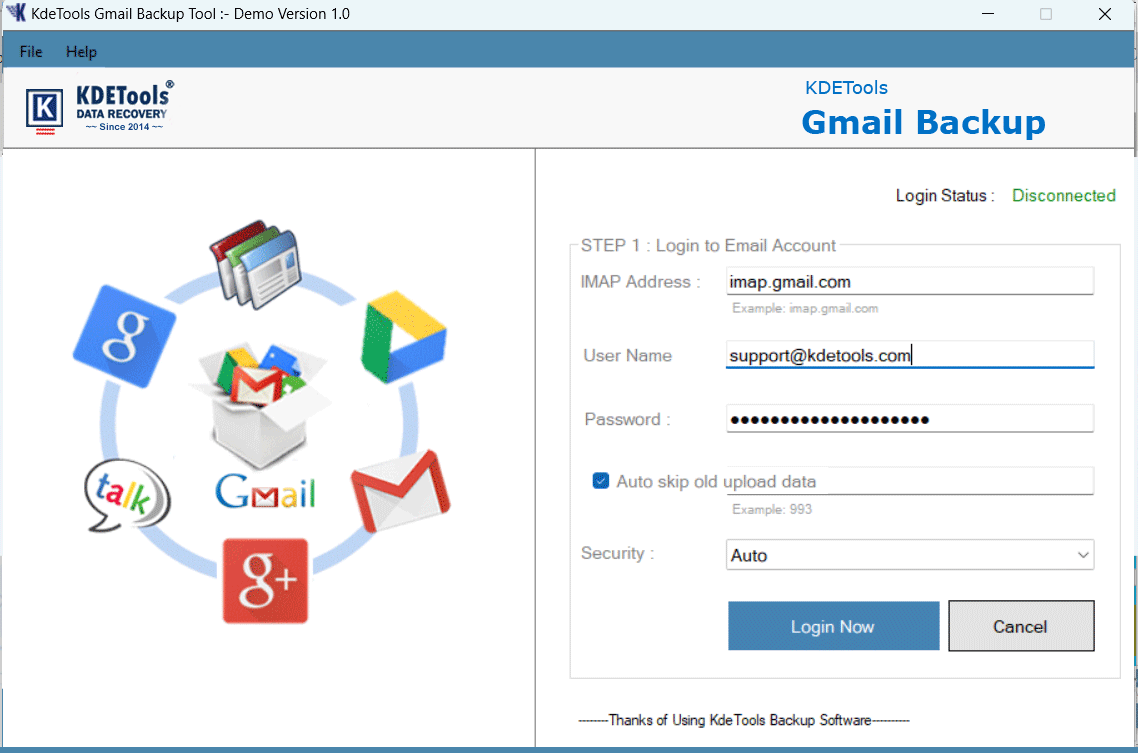



D - 478, Sector - 7,
Dwarka, New Delhi - 75
India
Call Us
91-9555514144
You can also find us:



KDETools Software® is the Registered Trademark of KTools Software Pvt Ltd
© Copyright 2019 www.kdetools.com. All Trademarks Acknowledged.


